
How to Redeem Command An Army Codes
Find the codes button, paste working codes, and get gems into your wallet before the next match.
Redeeming Command An Army codes is a thirty-second job if you know where the button lives. New players lose that time because the tutorial is long, the HUD is busy, and the codes window shares the right side of the screen with orders. This page is the full path from joining the Roblox experience to gems landing, plus the failures that make people think a live code is dead.
The official game is Command An Army by Fight, Fight, Fight!. You do not need a group rank, a game pass, or a script to redeem. You need the HUD, the working list on the codes hub, and enough quiet to type.
Before you open the codes window
- Use a Roblox account that can play the experience. Command An Army is free to play.
- Let the tutorial finish far enough that the right-side buttons appear. If you are still walking a 2 km onboarding path, the codes button may not be on screen yet.
- Do not open the window during a capture scramble. Attack and defend orders (the E prompts on the overview screenshot) matter more than 150 gems in that second.
- Copy the code from the working list rather than from a cropped TikTok. Spaces and capital letters matter.
Step-by-step redeem
- Spawn into a server. Public servers cap at 12 players, so you will not wait in a huge queue.
- Look at the right side of the screen. The codes button sits there with the rest of the utility HUD.
- Click it. A code window opens with a text field and a redeem control.
- Paste one code. Start with RELEASE or WAR if you have never redeemed, because those are 500 gems each.
- Press redeem. Wait for the confirmation. If gems do not move, do not mash — read the error.
- Clear the field and paste the next code. Repeat for BUGFIX and LEBALANCE.
- Close the window. Confirm the gem total, then go spend with a plan from the gem planner.
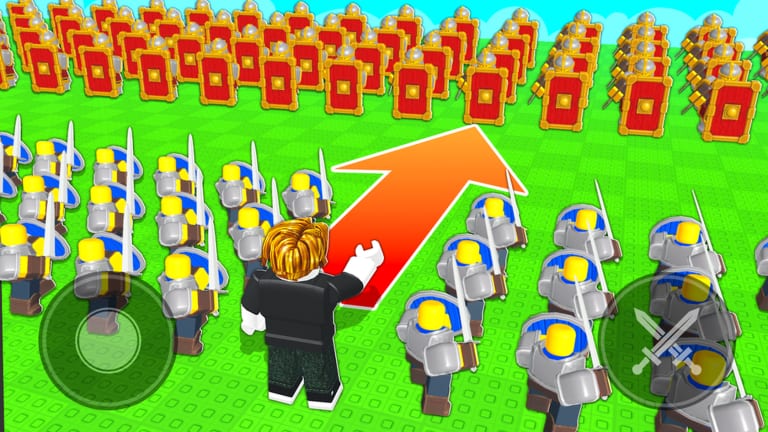
Mobile players use the same right-side control. The official thumbnails show a virtual joystick on the left and crossed-swords / order buttons on the right; codes lives in that right cluster. If your thumb is covering the button, rotate to landscape or drag the HUD if the game allows it.
What a successful redeem looks like
A good redeem adds gems immediately. You should see the wallet tick up by 500, 250, or 150 depending on the code. There is no extra chest to open and no mail box to click. If the UI plays a toast and the number does not change, rejoin once. Data is account-bound; you do not need to redeem again on a second device.
After gems land, leave the codes window. You still have to recruit, upgrade, and order formations. Codes do not auto-buy Cavalry. They do not auto-win the First Victory badge. They only fund the roster you command in how to play.
When a code fails
Invalid / not found. You mistyped it, added a space, or used the wrong case. Copy from the codes hub again.
Already redeemed. You already claimed it on this account. Codes are once per account, not once per server.
Expired. The code died. Check expired codes. Launch codes can vanish after a patch without a countdown.
Button missing. You are still in a cutscene, a loading island, or a camera that is not the match HUD. Finish the tutorial. If the button is gone after a patch, wait for the updates hub — BUGFIX existed because launch had real bugs.
Lag spike / no response. Launch week was laggy enough that players complained on socials. Rejoin, then redeem in the lobby or between rounds rather than in a 300-troop stress pile.
Do not buy a “code generator” plugin. Do not run a script that claims to auto-fill codes. That is how accounts get stolen. If you came here from a script video, read script safety first.
Best time to redeem
Redeem before you spend, and spend before you queue into a serious match. The clean loop is:
- Redeem every live code.
- Open the troop tier list and pick a core.
- Buy the core with the gem planner.
- Run the match checklist and choose attack or defend.
- Play. Capture points. Do not open the codes window while your Shieldmen are rotating.
If a new code drops mid-session from Discord, redeem between matches. The official Discord is listed on official links. Codes from random comment sections are often for other army games. Command An Army is a September 2026 title; older “Control Army” or “Make a Military Army” codes will not work here.
Codes versus game passes
Two passes exist at launch: Skip Summon Spin and +50 Inventory Space. Neither replaces codes. Skip Summon Spin only matters if you are rolling summons. Extra inventory only matters if your roster is already large. Gems from RELEASE and WAR are the free path into Cavalry and the Castle infantry trio. Buy passes after the free stack is gone, not before.
Aftercare
Write down which codes you already used if you share a computer. Roblox will not show a history panel in every game. When we mark a code expired, we move it off the working table so you do not waste a match trying it. For the why behind LEBALANCE and BUGFIX, read the balance patch notes. For the launch itself, stay on the September release page.
Redeeming is the easy part. Commanding the army those gems bought is the rest of the wiki.
Frequently Asked Questions
Quick answers for codes, troops, and match setups.
Where is the Command An Army codes button?
On the right side of the game screen. Open it, paste a working code from the codes hub, then redeem.
Can I redeem the same code twice?
No. Each code is once per Roblox account. A second attempt returns already redeemed.
Why does a listed code fail?
Typo, extra space, or it expired. Check expired codes and copy the live spelling again.
Do I need a game pass to redeem?
No. Codes are free. Skip Summon Spin and extra inventory are optional and unrelated to redeeming.