
Command An Army Codes
Active gem codes after the September 2026 launch, with redeem steps and expiry notes.
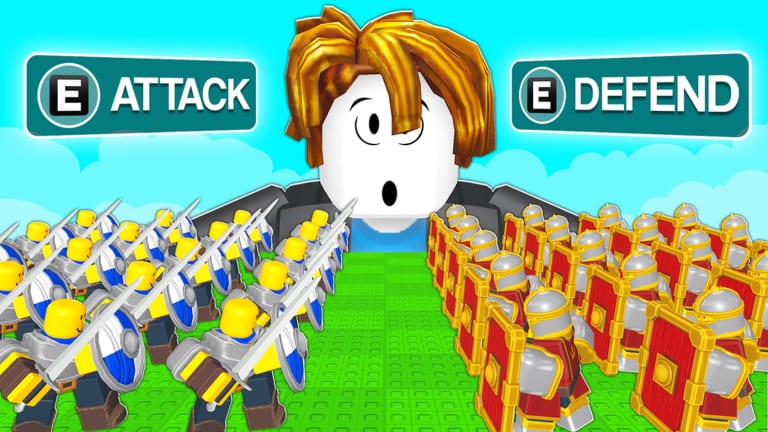
Command An Army launched on Roblox on September 5, 2026, and the developers immediately started dropping gem codes. Gems are the currency that actually moves your roster: they recruit troops, pay for upgrades, and let you lock formations before a match. If you skip codes, you walk into team-versus-team fights with a thinner line than the players who redeemed RELEASE and WAR on day one.
This hub is the live list. We keep working codes at the top, expired codes on a dedicated tracker, and a separate redeem walkthrough so you are not hunting the button mid-fight. The codes window sits on the right side of the game screen. Type the code exactly as written, then redeem. Codes are case-sensitive in most Roblox games; if a code fails, check spacing and try again before you assume it expired.
Working Command An Army codes
Reconfirmed September 7, 2026. The four codes first appeared September 6 after the post-launch patches. No fifth code shipped with the September 7 universe push.
| Code | Reward | Added |
|---|---|---|
| RELEASE | 500 Gems | September 6, 2026 |
| WAR | 500 Gems | September 6, 2026 |
| BUGFIX | 250 Gems | September 6, 2026 |
| LEBALANCE | 150 Gems | September 6, 2026 |
RELEASE and WAR are the launch-size payouts. BUGFIX landed with the first stability pass. LEBALANCE arrived with the first numbers tweak. Together they are 1,400 gems if every code still works when you redeem. That is enough to start a Cavalry-heavy core or to stock Spartans, Shieldmen, and Spearmen for the Castle circle setup covered in the formations guide.
No expired codes are confirmed yet. When one dies, it moves to the expired codes page instead of sitting here as a trap.
What gems actually buy
Gems are not a vanity currency. In Command An Army you assemble a force, then command it in attack or defend rounds. Recruiting costs gems. Upgrading troops costs gems. Ordering some tactical formations costs gems. If you blow the whole stack on random summons, you will feel it the first time an enemy Cavalry charge hits a messy infantry blob.
Spend in this order unless your roster already has the piece:
- A front that can hold (Shieldman or similar shield infantry).
- A closer that players currently rate highest (Cavalry).
- A specialist you actually understand (Spartan or Spearman for Castle).
- Inventory space only if you are constantly hitting the cap. There is a +50 Inventory Space game pass if you would rather pay Robux than keep deleting summons. Full pass notes live on game passes.
Use the gem planner before you tap buy. The troop tier list exists so you do not fund a Scout Rider counter you have never practiced.
How to redeem without missing the fight
- Join Command An Army on Roblox.
- Finish or skip through the tutorial until the HUD is visible.
- Click the codes button on the right side of the screen.
- Paste one working code.
- Hit redeem and confirm gems landed.
- Repeat for every live code, then leave the window so you can still issue attack or defend orders.
If you want screenshots-in-words and failure cases, open how to redeem codes. Do not redeem in the last ten seconds before a capture tick. The window covers the same side of the screen you use for orders.
Where new codes drop
New codes usually follow updates, bug-fix drops, and milestone moments. The first batch all arrived on September 6, one day after the public launch. Watch:
- The official Discord invite
discord.gg/commandrblx(also listed on official links). - The Fight, Fight, Fight! Roblox group shout.
- In-game patch notes after a balance or bugfix title update.
- This codes hub, which we refresh when a code is proven working or dead.
The balance patch page explains why LEBALANCE exists. The September release page covers the launch window those codes were built for. The live snapshot is the morning-of visit count if the launch recap looks stale.
Codes and match planning
Codes are only useful if they change the next match. After you redeem:
- Open the match checklist and decide attack or defend before you spawn the line.
- If you are learning, follow how to play instead of diving into a 12-player server with a random mix.
- If you already know the HUD, skip to how to win and copy a defense-biased setup. Most maps currently favor the defending side.
- If you care about summons, read how to get Spartans before you spin.
Safety notes
Nobody needs a script to redeem codes. If a video or Discord user tells you to paste a loadstring to “auto claim codes,” stop. That is not how the official codes button works. Script risk belongs on the scripts hub and script safety pages. Codes themselves are free, official, and temporary.
This wiki is unofficial. Codes can expire without a public countdown. If RELEASE fails, it is expired, not “bugged” — check expired codes and the Discord before you spam the redeem button.
After you claim
Gems sitting in the wallet do nothing. Move them into a roster you can command. The players hub breaks Cavalry, infantry, and summons into roles. The compositions page turns those roles into attack and defend packages. Then play. The First Victory badge is awarded for winning your first match; Warlord is sitting at 1,000 wins and nobody has it yet. Codes will not win the match for you, but they keep you from starting the climb broke.
Frequently Asked Questions
Quick answers for codes, troops, and match setups.
What are the working Command An Army codes right now?
RELEASE (500 gems), WAR (500 gems), BUGFIX (250 gems), and LEBALANCE (150 gems), added September 6 and still listed September 7, 2026. Confirm on this page before you redeem.
Where is the codes button?
On the right side of the in-game screen. Full steps are on how to redeem codes.
Do Command An Army codes expire?
Yes. They are time-limited. Dead codes move to expired codes.
What do gems do?
Gems recruit troops, pay upgrades, and fund formations. Spend them with the gem planner instead of random summons.